Showing posts with label G1X. Show all posts

Wednesday, September 11, 2013

Sliding

Slider Practice

Video is sort of intimidating but I’m working with and on it.  Most recently, I got a “slider” and have been practicing.  As if having a new gadget weren’t enough, I added a second camera (G1X) and hacked away at editing the dual camera video in Adobe Premiere Pro.  Then I couldn’t resist trying a voice over and editing that audio in Adobe Audition.  So lots of techniques and software to learn.

Now, this video may be terrible but I’m enjoying the learning process.

Thursday, February 7, 2013

Branches

Branches

This scene caught my eye a few mornings ago. The bare branches in bright sunlight really stood out against the pattern and dark roof in shadow. I grabbed my G1X to record the scene before the light changed. A simple snapshot, right?

Unfortunately, from my only vantage point, the G1X did not quite have the zoom for the composition that I wanted. OK, I’ll just crop it. But what if I couldn’t crop or didn’t want to deal with editing? I then remembered the digital tele-converter feature of the G1X.

Changing to 1.5X digital tele-converter was all that was needed to get this composition. Of course, the image file is JPEG only. If I’d wanted to make a large print I would have shot in RAW then edited and cropped to taste but this snapshot is just what I wanted.

Thursday, October 18, 2012

G7–> G15?

G6

When the G6 was announced in 2004, I already had a G3 and, although tempted, decided not to upgrade to the G6. After a while, it seemed that the G6 was the end of the line for the G series but then the G7 was a surprise announcement in 2006. The G7 has been followed by a new G series every year from 2007 through 2010 when, once again, there was a two year gap and rumors of the G series coming to an end. Those rumors ended with the announcement of the G15 a few weeks ago.

(As a side note, the G4 and G8 model names were skipped in the past just as the G13 and G14 names have been skipped most recently. That is, there was no G4 or G8. Amusingly, the G4 and G8 are sometimes praised on Internet discussion forums for their quality and features. I expect the same praise to eventually be awarded to the G13 and G14.)

The G7 was a nice looking compact camera but did not have the articulated display screen featured in previous G series models. To my further disappointment, the G7 did not produce RAW image files.  To many people, these shortcomings meant that the G7 was not a “real G”.  All G models after the G7 have included RAW image capability but the articulated display screen did not return until the G11. I passed on the G7 but bought a G9, then a G12 and most recently a G1X.

My point (and yes, there is one) is that there was a two year gap between the G6 (which had an articulated display screen) and the G7 (which did not). There was also a two year gap between the G12 (which had an articulated display screen) and the new G15 (which does not). The G7 was viewed as a test of the compact camera enthusiast market. Is the G15 also a test of the market?

Fortunately, the G15 can produce RAW image files. In fact, the G15 seems to be more like a G12 that has been made more compact (by eliminating the articulated display) than it does an updated G7.

Will there be a G16? Who knows? My thinking is that Canon currently offers too many enthusiast compact cameras (G1X, G15, S110, EOS-M and an advanced EOS-M essentially announced). I expect that, depending on sales volume (of course), either the G1X or G15 will be dropped. But, as Canon has shown in the past, “dropping” a product may really mean a two year gap until the next model is announced.

G3,6,9,12

Oh yes, I eventually bought a used G6 just to complete the “set” (G3, G6, G9, G12). Does that mean I’ll someday have a G15?

Monday, September 17, 2012

G15: How ‘bout that!

20120917_hiRes_g15_3q

As rumored and becoming obvious over the past few days, Canon announced its PowerShot G15 enthusiast’s camera today – a replacement for the G12 but skipping the G13 and G14 product names for various reasons of their own.

The Canon website now includes product pages for the G15. Dpreview has a preview of the G15.

My own guess, was that the G12 marked the end of that product line but that descendants of the G1X would continue it. I'm wrong once again (although more nearly correct a year ago).

Instead of the G12 being the end of a product line, I now suspect that the G1X will be a one-off model line because Canon's enthusiast compact product line seems to be getting crowded. Perhaps Canon is floating trial balloons to see which way the market winds are blowing.

I also suspect that the G15 probably was spec'd and designed very quickly in response to the moderate reception given the G1X. With the exception of a faster lens, the G15 appears to be a modest update to the G12. Since I still have my G12 and have added the G1X, I don’t feel particularly inclined to purchase a G15.

More later as I read and learn about the G15.

Friday, September 7, 2012

G1X: Battery Options

NB-10L

Canon’s G1X uses an NB-10L rechargeable lithium-ion battery rated at 7.4 volts DC and having a capacity of 920 mAh. The NB-10L is also used in Canon’s SX40 HS camera and probably many others. Canon rates its battery for approximately 250 still shots with the display screen turned on or 700 with the display screen off; this rating assumes “normal” operation which includes zooming. The battery is reported to be rated for 300 charging cycles. Of course, Canon’s instruction book for the G1X says “Use only the recommended battery.”.

In contrast to the NB-10L as used in the G1X, the NB-7L as used in the G12 is rated for 370 shots with the display turned on or 1000 shots with the display off. The NB-7L is also a 7.4 volt battery but with a capacity of 1050 mAh. The NB-7L is slightly larger than the NB-10L.

G1X CameraMany G1X users interpret “recommended battery” to mean the NB-10L type of battery and not necessarily the Canon brand. Canon’s NB-10L is much more expensive than non-Canon batteries. Typically Canon’s NB-10L is around $40 and as high as $60 whereas generic NB-10L range from $10 to $20 and really cheap ones are less than $10.

So – what’s a photographer to do?

Coming from a time when batteries were not as reliable and had a lower capacity, my personal and recommended practice is: one in the camera, one in the pocket and one in the charger. Being even more conservative, I’m likely to have an additional battery or two around. At the same time, all my extra batteries are the generic variety.

My personal G1X is usually powered by the official Canon battery. Along with my G1X, I purchased a “Power2000” NB-10L which, as I recall, was about $20 at the time. The Power2000 NB-10L is rated for 1200 mAh. Later I went even cheaper with two “Photive” NB-10L batteries costing $20 – including a charger useable with either AC or adaptable to an automobile DC socket (cigarette lighter). Come to think of it, I’ve not tested the DC socket charger.  Hmm, better test it someday (Update:  Seems to work!). Like the Power2000, the Photive NB-10L are labeled as having 1200 mAh capacity.

I believe/suspect that there are few rules for determining battery capacity or, more likely, that the temptation to use an exaggerated capacity is very strong. In my very limited testing and experience, it seems that the OEM and non-OEM batteries have about the same capacity. That is, don’t be misled by the mAh capacity label. My practice is to use a “Sharpie” pen to mark batteries as received. Of course, the received date is not the same as the manufactured date but is somewhat indicative of the age of the battery. It seems to me that generic batteries have a slightly shorter lifetime than do OEM batteries.

Following are some sources for NB-10L batteries. (This blog is not linked to any commercial sites or agreements.)

  • B&H has a Pearstone NB-10L for $20. It is highly rated in the B&H system of ratings.
  • Adorama has their private labeled NB-10L for $10.
  • Sterlingtek has a good reputation and is a source used by many photographers. Sterlingtek has been my first choice for non-OEM batteries for many years. Strangely, Sterlingtek does not carry the NB-10L on their website but even more strangely, Amazon carries an NB-10L ($15) supplied by Sterlingtek that is highly rated. I don’t understand this at all.
  • Amazon has some very cheap NB-10L batteries. Some are as low as $4 and others are packaged with chargers and other accessories. Wow, the Power2000 is about $4 and has a good rating – makes me feel like getting another one!

Various Internet discussion forums have positive comments about NB-10L batteries supplied by GT Max NB-10L, Sterlingtek (through Amazon), B&H, Ex-Pro and Opteka. It is easy to get the idea that the marketer (not the same thing as manufacturer) does not matter. The difference is probably the specifications and tolerance requirements of the marketer. One begins to suspect that there are very few manufacturers and that many of these batteries are actually made by the same manufacturer.

I’ve followed this philosophy and practice for some time. Here’s a post about a clone battery failing in my G9 and two posts about batteries used in my 7D.

My recommendation?  Buy a cheap generic battery for backup; in fact, buy several.

Thursday, August 2, 2012

G12: Time Lapse

While vacationing last week, I made another time lapse video of the sunrise on Destin, Florida beach.  As last year, the G12 was used in the process.  Shot from the same balcony at roughly the same time, this year’s video eerily resembles last year’s video.  So much for creativity!

Why use the G12 instead of the G1X?  Well, as noted previously, the G1X yields only about 1500 shots in a two hour period before running out of battery.  The G12 yields about 2500 shots over a longer period of time.  If I’d planned a little more carefully, the G1X would have been more than adequate.  Instead, I fired up the G12 and took a walk with the G1X.

Canon’s EOS M was officially announced during my vacation.  I’ve been reading about its specs as well as its pros and cons – not to mention opinions from enthusiasts.  I’ll have more to say about the EOS M in another post.

Friday, July 20, 2012

Canon Mirrorless Leaked

Everyone else is “announcing” it so I might as well join the crowd.  Although Canon Rumors was not the first to post it, apparently they are convinced that this leak is real and therefore have essentially announced the Canon EOS M mirrorless camera. 

By measuring the pictures of the camera and scaling to standard hot shoe dimensions, most people seem to think the EOS M uses an APS-C sensor and not a variant of the sensor used in the G1X.  Not what I thought would happen.

In fact, the EOS M is (apparently, as it has not been announced) significantly different from the mirrorless camera that I thought Canon would design.  It is being said that the M is a consumer camera and not an enthusiasts camera.  Supposedly, the enthusiasts camera will come later.  I thought the sequence would be the opposite.

I’m not quite sure how I feel about the EOS M but am anxiously awaiting the details with fingers crossed.

Sunday, July 15, 2012

G1X: Video

I still have ambitions of becoming a better videographer and editor.  Here’s my latest attempt; this time using the G1X and its fully automated video features.

Pressure washing my driveway

Realistically, I’ve not used G1X (or G12 or 7D) video nearly as much as I thought I would.  In fact, I’ve only posted seven videos on this blog and just one using the G1X (not counting time lapse as a video). 

I’m still using, or better said, trying to learn Adobe Premier Elements and have upgraded to Version 10.  Premier Elements 10 is probably more than adequate for my needs but I definitely need more time and practice.

The various formats, file name extensions, etc. are still somewhat a mystery to me.  I’m attempting to upload a high quality video to YouTube from Premier Elements but the downloaded playback never looks as good as the version I see during editing.  Sometimes I save the video to my hard drive in several formats just to see the results.  Wow; what huge differences in file size and quality!

So I still don’t have a comfortable work flow for video. 

Sunday, July 1, 2012

The Mirrorless G Series

G12 CameraThis post is almost a joke but it’s time to make my annual prediction for the next PowerShot G camera even though the G1X was launched only a few months ago. This time last year, I predicted the “G14” – Wrong!

Canon has previously said that the G1X does not replace the G12. The G12 is still listed on the Canon website. The Canon statement leaves room for a “G14” to replace the G12; however, my G14 prediction is that there will be no successor to the G12 as such. The G1X will turn out to be the successor to the G12 after all – as most people believed anyway. Canon was simply hedging their bets by not taking the G12 off the market at the time of the G1X launch.

The G2X, as it almost certainly will be named, is still many months away – probably late summer next year. Like recent G series cameras, the G2X will continue as an evolutionary step from the G1X. The real news – and apparently coming soon – is the mirrorless PowerShot.

Of course, none of the G series Canon Powershots have a mirror but that is beside the point. The current craze is for “mirrorless” cameras and Canon will soon join that club.

“Mirrorless” is usually understood to mean not only a camera without the mirror of the single lens reflex (SLR) and its digital descendant but also to be a compact camera with interchangeable lenses. Sometimes this type of camera is abbreviated as “MILC” for mirrorless interchangeable lens camera. Some of these mirrorless cameras more or less resemble rangefinder cameras of old (which did not have a mirror either) while others take on the look and feel of a DSLR.

Everyone expects that Canon will launch a mirrorless camera soon and “soon” is July 24 according to Canon Rumors. What will this new camera be named? It certainly could continue as a PowerShot although some seem to think it will be an entirely new series. I think the Canon mirrorless is likely to be a PowerShot Pro2.

The PowerShot Pro1 was a revolutionary product launched in 2004 and never updated. It had a different shape and a relatively large (for the time) sensor for a compact camera. Although the Pro1 had – and still has -- its devotees, reviews were somewhat subdued. I recall giving it a serious consideration but deciding to pass on the Pro1.

I don’t really think that the new Canon mirrorless will be named the PowerShot Pro2. “Pro2” makes me think of second best. I think the new Canon mirrorless will be named the PowerShot Pro1X (with future versions being named “Mark II”, etc.).

The Pro1X may not look like the older Pro1 (I hope it looks like a “rangefinder”) but will borrow and evolve enough Pro1 features to be recognized as a legitimate descendant. Evolved features will include:

  • High resolution EVF + articulated LCD
  • Hybrid autofocus
  • Intervalometer
  • Pop up flash + hotshoe

The Pro1X will be a true PowerShot with many features borrowed from the G1X including:

  • A tweaked G1X sensor
  • DIGIC 5 processor
  • Movie modes with added features
  • SCN and filter modes
  • Built-in neutral density filter
  • Variable aspect ratio image files
  • Video button (but protected from accidental activation)
  • Image Stabilization

The Pro1X will include “new” features such as

  • Interchangeable lenses
  • Initially 3 lenses: wide and telephoto zoom, fixed 40mm pancake
  • New lens mount, plus adapter for DSLR lenses
  • Wifi
  • Flash controls like 7D (oh please, please!)
  • Larger battery
  • 4 to 8 frames per second burst in RAW mode
  • eliminate 1 second shutter speed limit in Av mode
  • Touchscreen controls (in addition to G1X type physical controls)

Apparently we will know in a few weeks.

I predict that the Pro1X will be criticized for not being “pocketable”. Also, many will criticize the EVF and point out that the EVF makes the camera larger than necessary.

(Why do I do this? Just for grins! I have no affiliation with Canon and no real source of information to use as the basis of these guesses.)

Monday, June 18, 2012

G1X: Lens Cap

G1X CameraThe G1X comes with a removable, not built-in, lens cap.  Like many others, I would have preferred a built-in lens cap.  However, I have some good news about the lens cap:  The lens cap can be washed and dried in a conventional household washer and drier.  In my never ending experiments with the G1X, I have proven this to be true. 

To me, the G1X lens cap is just another lens cap and lens caps go in my left back pocket.  True to habit, after setting up for a time lapse sequence, I put the lens cap in my pocket and proceeded to do a little weeding in my garden.  Of course, I got dirty and sweaty in the process and decided to clean up before retrieving the G1X.

So now I know that the G1X is pocketable and washable – well, the lens cap is washable but I don’t plan to test the camera body.

Saturday, June 16, 2012

G1X: Hibiscus Time Lapse

Hibiscus Opening

The above relatively simple time lapse video was made with the G1X.  The camera was set to ISO 100, 1/100 second, f8 and manual focus.  White balance was set to daylight.  All these setting were a best guess for whatever might happen.  The G1X was in JPEG only mode, normal colors, 16:9 aspect ratio and a resolution of 1920x1080 pixels.  Image stabilization and image review were turned OFF in the main menu.  Over a period of almost 2 hours, images were taken at 5 second intervals.  The resulting 1476 JPEG images were assembled into a video using QuickTime Pro.  Final editing, including the title and credits images was accomplished with Adobe Premiere Elements 10.

I’ve made other time lapse videos using roughly the same technique.  Once again, a simple intervalometer was used.  The G1X was entirely battery powered for this project.  I was a little surprised to get only 1476 shots on a fully charged battery as I was expecting 2000 shots or more. The G1X display remained ON because manual focus reverts to auto focus if the display is turned OFF.  Even so, I would have thought that less power would be required with the LCD display turned OFF and using manual focus.

Time lapse makes an intriguing video and I intend to do some additional exploration and experimentation with it.

Saturday, June 9, 2012

G1X: Macro Light Adapter

It is still difficult to believe that Canon does not offer a lens (as opposed to filter) adapter for the G1X and that third party manufacturers, Lensmate in particular, have not developed their own lens adapters.

Macro Adapter

To mount their macro flashes MT-24EX and MR-14EX to the G1X, Canon offers an accessory, the Macrolite Adapter MLA-DC1. Although I do not have the macro flashes, the MLS-DC1 looks enough like a tubular lens adapter that I decided to get one and hope to find some use for it. Actually, instead of the Canon product, I got the cheap clone JJC Light Adapter MLA-JDC1 shown above. It is simply a tube with bayonet adapter to fit the G1X and a groove to hold the Macrolite flash.

Macro Adapter

For my G9 and G12, the lens adapter also provided protection for the lens and a gripping point while shooting. The MLA-JDC1 is sturdy enough and offers some protection for the lens but the bayonet protection ring on the G1X is wide enough to wrap my fingers around it so the MLA-JDC1 is not needed.

I do have a macro LED light that fits my G12 via the Lensmate adapter 58mm filter threads. Although this macro LED light would physically fit the Lensmate filter adapter for the G1X, there’s no way that I would hang it on the end of a collapsible lens. Instead, the LED light can be “adapted” to the MLA-JDC1 with gaffer tape (never leave home without it).


Macro Adapter

This adapted configuration is awkward but it works; that is, it sort of works. The LED macro light is not bright and must be close to the subject; however, the G1X is macro challenged and really needs the 250D close-up lens. Unfortunately, the 250D requires a filter adapter and that filter adapter is larger than the bore of the MLA-JDC1. This means that the G1X lens could not be retracted into the MLA-JDC1 (and, I assume, the Canon MLA-DC1 as well). I wouldn’t use the combination of MLA-JDC1 and a filter adapter for fear that the G1X would turn off and damage the lens.

Yet another reason for keeping the G12 for macro work.

Monday, May 21, 2012

G1X: Review at Imaging Resource

Imaging Resource has posted their review of the G1X.  Theirs is an extensive review including notes from a live Q&A session at the Consumer Electronics Show in January, still and video samples, performance tests, a gallery and hands-on impressions.  Even though the G1X is no longer “new”, the Imaging Resource review is well worth reading.  In fact, I intend to study it in hopes of finding that new technique or even a secret feature that I’ve overlooked.

Wednesday, May 16, 2012

G1X: Lens Hood


Lens Hood

The Canon LH-DC70 lens hood for the G1X is a cute little thing but rather expensive considering its size and material. On the other hand, the LH-DC70 has a built-in adapter and can be mounted directly on the G1X; however, filters cannot be added to the LH-DC70 and, in turn, it cannot be added on top of filters. There’s a way around these problems -- well, sort of.

I remembered once having a cheap lens hood that screwed onto the filter threads of my SLR. After a bit of browsing, I found something similar with a 58mm filter thread. There are a number of variations available so I bought a cheap one for a few dollars. There’s good news and bad news about this filter thread mounted lens hood.

Generalizing from my brief experience with the cheap lens hood that I bought, the good news is that it works. That is, it can be screwed into either the Canon or Lensmate filter adapters. As can be seen, the threaded lens hood is quite a bit longer than the Canon lens hood but there was no vignetting even with the G1X at maximum wide angle.

Lens Hood

The bad news comes when wanting to add the threaded lens hood to a filter. In my case, I put a Tiffen polarizing filter on the filter adapter and then screwed the lens hood into the polarizing filter. Unfortunately, this combination results in vignetting when the G1X is at wide angle.

Also, I have to say that, at best, a polarizing filter with a lens hood is daunting combination that becomes downright frustrating when the filter and hood are connected such that rotating one also rotates the other. I tried to have the lens hood only loosely screwed into the filter but the combination is still awkward. I don’t like it.

Still, cheap lens hoods are readily available for the G1X. Since there are many variations of filters and threaded lens hoods, there is some hope that a worthwhile, non-vignetting combination can be found – not to mention using step-up filter rings. Even so, I doubt I’ll be using these two devices together very often on the G1X. Since I primarily use the Canon LH-DC70 lens hood for protection, I’ll stay with the cute one.

Sunday, May 13, 2012

G1X: Rainy Day

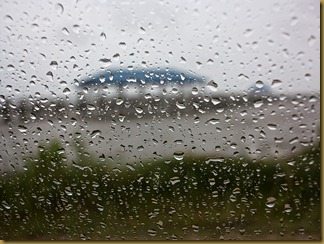
OS Rain

Although hoping for a beautiful sunset, water and beach scene, I was determined to take a picture of something and this was the best I could do.  Actually, I like it and have added it to my G1X collection at Smugmug.

This picture was taken at ISO 200, 1/15 second and f4.5 at a mid-zoom focal length.  The G1X was in manual focus mode at minimum focus distance – roughly 15 inches or so.  Although I could have elected to increase the ISO setting, I decided instead to brace the camera against the car seat and accept the 1/15 second shutter speed.

Wednesday, May 9, 2012

G1X: Pocketable?

One of the complaints about the G1X is that it is too bulky to be a true “compact” camera.  The G1X is certainly larger than the G12 but, to my thinking, not really that much larger.  In fact, I previously claimed that the G1X was “pocketable” and here is the proof.

The Pocketable G1X

Although I do not claim universal “pocketability”, I will note that for men of a certain age and fashion, the G1X is indeed pocketable.  As noted previously, “I did not subject myself or the G1X to the jeans of my youth!”. 

Realistically, I do not routinely carry the G1X in my pants or coat pocket but prefer my Domke man bag instead.  However, it is occasionally convenient to put the G1X into a coat or pants pocket – and it does fit!

Monday, April 30, 2012

G1X: Gallery

Easter Lilies

I’ve set up a G1X gallery in my Smugmug account for showing my better G1X photos.  Not very many really good shots at this time but I’ll be adding to it – soon, I hope.

The shot above is a good one in my opinion.  It printed well at 12x18 inches and will soon be framed on hung on my wall.

Saturday, April 28, 2012

G1X: Wide Angle Conversion Lens

G1X Wide Angle

This is the G1X with the Canon WC-DC58B wide angle lens from with my G9 and used with my G12.  It is connected (almost) with the Lensmate G1X filter adapter.  That is, this is the way the combination would look if the G1X filter adapter (either the Canon or Lensmate version) actually connected the camera and conversion lens.  Those adapters will not make that connection.

G1X Wide Angle

Here’s the Lensmate adapter on top of the WC-DC58B.  Notice that the threads on the lens are still showing.  The adapter is not deep enough to accept the threads on the lens.

G1X Wide AngleHere’s a closer view.  Neither the Lensmate nor the Canon filter adapter is intended to be used with the WC-DC58B wide angle conversion lens.  Well, neither was the G12 but the combination could be made to work.  If the WC-DC58B were optically matched to the G1X then there would be an incentive to make an adapter for connecting them.  For testing the optics, I used a crude but effective temporary connector:  my hand.  The combination kind of looked OK on the G1X display so I proceeded to my official wide angle test site.


Easter Lilies

I’ve used this location for several types of comparisons, including the wide angle adaptor on the G12 and G9.  The image above is from the G1X at its maximum wide angle setting of 28mme.  The G1X was mounted on a tripod so I simply held the WC-DC58B wide angle conversion lens up to it. 

Easter Lilies

It works!  Or does it?  Well, almost but not quite.  Perhaps a better “adapter” could eliminate the vignette.  I probably could have eliminated the lens flare with a slightly different angle, lens hood or strategically placed hat.  Canon could revise the G1X firmware to correct the distortion.  So the potential exists for a new adapter and revised lens but would I buy them?

For starters, I’m not about to hang a heavy conversion lens – wide angle or telephoto – off the end of the G1X zoom lens.  No sir, not me.  Now, if someone were to make a rigid tube type lens adapter I would consider it but, so far, that product is not available and, evidently, must be a difficult one to design.

Wednesday, April 25, 2012

G1X: Lensmate Adapter

The Canon FA-DC58C adapter for the G1X has been criticized for being an expensive piece of plastic that should not even be necessary.  That may be but it actually is necessary and therefore competition comes into consideration.  Lensmate is a well known and respected third party manufacturer of components for Canon and other cameras.  

Lensmate G1XI received my Lensmate filter adapter today; it is a nice looking, quality piece of machining. I also have the original Canon version. The Lensmate adapter is much more similar than different from the Canon adapter. The most obvious Lensmate G1Xdifferences are that the Canon adapter is labeled “Canon” in white paint whereas the Lensmate adapter appears to be without a label. Also, the Lensmate adapter has a continuous knurl around the entire circumference whereas the knurl on the Canon adapter is interrupted. The Lensmate adapter is made from Delrin polymer whereas the Canon adapter is said to be made of ABS plastic.

Lensmate G1X

Lensmate G1X

The functionality of the Canon and Lensmate adapters appears to be identical. Both install with a 90 degree twist and both are threaded for 58mm filters. The Canon lens cap works with either the Canon adapter or the Lensmate adapter.

Lensmate adapter on G1X

The Lensmate adapter has “LENSMATE FOR G1X” inscribed on the filter side. To install the adapter, position it so this inscription is at the top then twist the adapter clockwise (that is, “tighten”) 90 degrees. I admit to being a little uncomfortable putting a torque on the lens so I’m going to always install or remove the adapter before turning on the camera so that the lens is fully retracted during the process.

Lensmate adapter on G1X

Although the Lensmate website appears to have installation instructions, the instructions have actually not been posted at this time.  Also, no instructions were included with the product so, cowardly disclaimer: 

The above “instructions” are my idea.  Proceed at your own risk!.

The Lensmate adapter fits much tighter to the G1X than does the Canon adapter. In fact, at first I was hesitant to tighten the Lensmate adapter but after examining the fit, crossed my fingers (well, I would have, except, you know ...) and gave it a twist. I'm much more confident now and have had the adapter on and off several times. The Lensmate website appears to acknowledge that their adapter fits tighter.

At this point, I don't know which adapter I'm more likely to use -- probably does not matter but the Lensmate looks and feels a little better so I’ll be using it preferentially for now.

Sunday, April 22, 2012

G1X: Digital Zoom and Resolution

Slide Show 1: G1X digital zoom examples

I made a mistake in an earlier post about the digital tele-converter feature of the G1X. My rationalization is that I’ve rarely used any sort of in-camera digital zoom because it is really just cropping; in other words, I’m not experienced with digital zoom.  If a picture is to be cropped then my preference is to crop in Photoshop. My mistake was in thinking that the standard digital zoom was not up-rezzed whereas the digital tele-converter zoom (the fixed 1.5 or 1.9 zoom) in the G1X was up-rezzed. I was wrong. Both standard and tele-converter digital zooms are up-rezzed to the full 4352x3264 resolution of the G1X.

My error has unnerved me and I now wonder if there is a possibility that other posts may also contain errors!

The slide show above illustrates the G1X digital zoom at several settings but here’s some background information. The G1X lens has an optical focal length of 15.1mm to 60.4mm – a 4X zoom. For small sensor cameras, optical focal length is often stated in terms of equivalent full frame 35mm film camera focal length. For the G1X, the equivalent focal length is 28mm to 112mm. Instead of writing out “equivalent” every time, I prefer to use “mme”. With digital zoom (cropping) the effective equivalent focal length of the G1X is 28mme to 448mme – a 16X zoom.

Digital zoom choices are made in the Main Menu. The menu item reads “Digital Zoom” and does not indicate “digital tele-converter”. Options are: OFF, 1.5X, 1.9X and Standard. The 1.5X and 1.9X options are “digital tele-converter”. In terms of image size, all options produce 4352x3264 pixels in 4:3 aspect ratio frames. Digital zoom is not available for other aspect ratio frames and not available in RAW mode.

Using Standard digital zoom, digital cropping begins once the optical zoom has reached its maximum. That is, digital cropping begins above the 112mme focal length. This also means that the largest aperture is f5.8 for standard digital zoom on the G1X.


Slide Show 2: G1X digital tele-converter examples

In contrast to Standard digital zoom, the digital tele-converter zoom factor (1.5 or 1.9) applies to all optical focal lengths. This means that the optical 28mme becomes 42mme and the optical 112mme becomes 168mme when the 1.5X digital tele-converter is activated. Additional digital zooming is not possible when in the digital tele-converter mode of digital zoom.

The advantage to the digital tele-converter is that larger apertures are available in comparison to the optical or Standard digital zoom. Suppose, for example, a given scene is best photographed at 85mme. The largest aperture for 85mme optical focal length is f5.6. Standard digital zoom applies only to focal lengths larger than 112mme. Using the 1.9X digital tele-converter feature, the same composition is available at an optical focal length of ~45mme for which the maximum aperture is f4. Therefore this scene could be captured at f5.6 with pure optical zoom or at f4 by using the 1.9X digital tele-converter.  Using the larger aperture means that a faster shutter speed or lower ISO can be used when in digital tele-converter mode.

To my surprise, the combination of digital tele-converter and larger apertures did not increase the amount of background blur, see Slide Show 2 above and notice the blur in the far background.  The explanation is that depth of field is increased at shorter focal lengths and this increase more than offsets the slight change in aperture even when the image is cropped.

Although my preference is to crop in Photoshop, the digital zoom and digital tele-converter features do have their place.